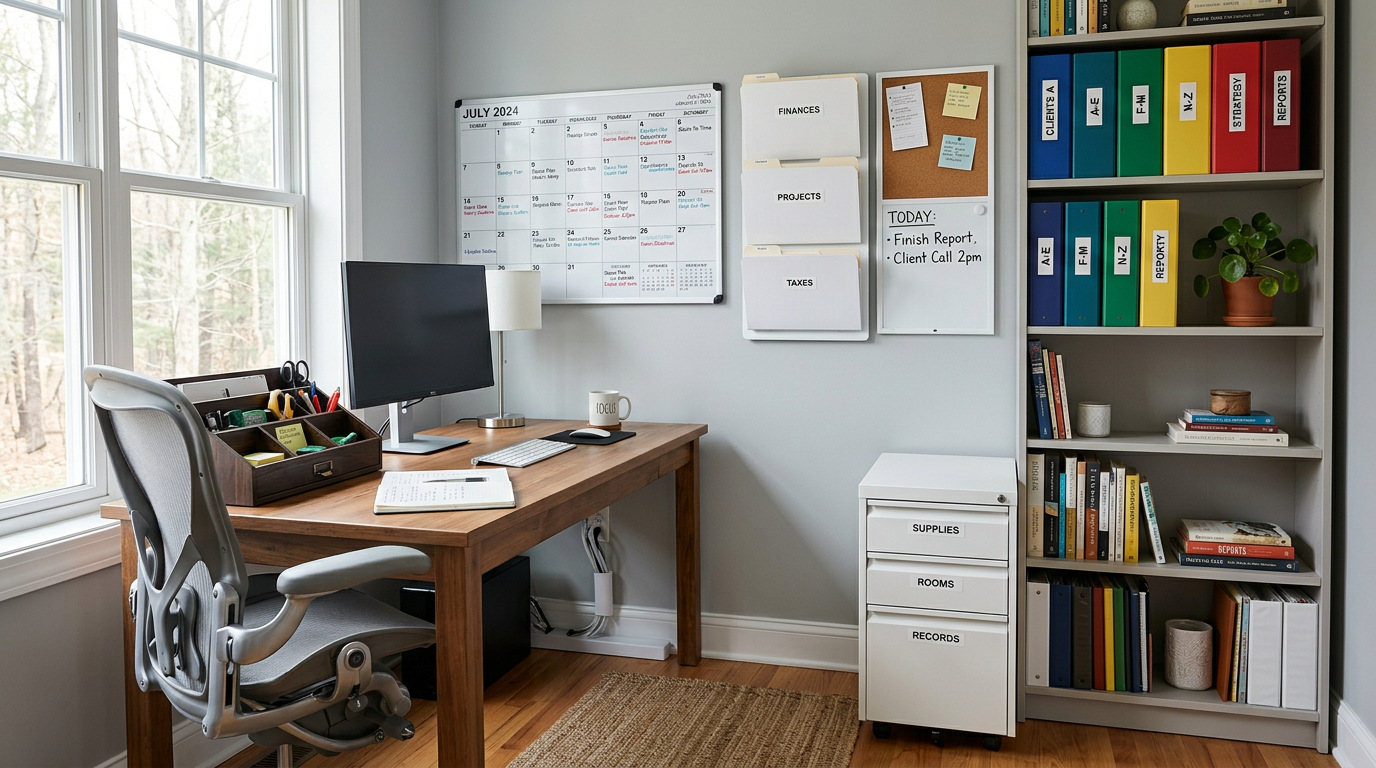
Organization Is a System, Not a One-Time Event
A tidy office the day after you organize it isn’t impressive — a tidy office three months later is. The key is building systems that maintain themselves through daily habits rather than periodic purges.
The Zone Method
Divide your office into functional zones, each with a clear purpose:
Active Zone (Your Desk)
Only items you use daily belong on your desk surface. Your computer, keyboard, mouse, a pen, a notepad, and perhaps your phone. Everything else has a home elsewhere.
Reference Zone (Within Arm’s Reach)
A bookshelf, filing cabinet, or set of drawers within rolling distance of your chair. This holds items you need regularly but not constantly — reference materials, supplies, project files.
Archive Zone (Across the Room or in a Closet)
Items you rarely need but must keep — tax records, old project files, backup supplies. Accessible but not taking up prime real estate.
Personal Zone
A small area for plants, photos, and objects that make the space feel like yours. Contained and intentional.
Desk Organization
The Clear Desk Policy
At the end of each workday, your desk surface should be clear except for permanent items (monitor, lamp, plant). This takes discipline initially but becomes habitual within two weeks.
Desktop Organizers
A tray for incoming papers, a pen cup, a small dish for clips and rubber bands. Choose organizers that match your office aesthetic — leather for traditional, bamboo for natural, acrylic for modern.
The Inbox System
Designate one tray or spot for incoming items — mail, papers to review, things to file. Process this inbox daily. If items pile up, the system isn’t working.
Digital Organization
File Structure
Mirror your physical organization digitally. Clear folder hierarchies, consistent naming conventions, and a regular archive schedule keep your digital workspace as organized as your physical one.
Desktop Cleanup
Your computer desktop is a visual workspace too. Keep it minimal — no more than a row of icons. Everything else belongs in a folder.
Email Management
Process email at set times rather than constantly. Archive or delete after acting on each message. An overflowing inbox is digital clutter that affects your mental state just like physical clutter.
Paper Management
Go Digital When Possible
Scan paper documents and store digitally. Most papers don’t need to exist physically. A good document scanner or scanning app reduces paper volume dramatically.
File What Remains
For papers that must stay physical, a simple filing system works: Action (needs response), Reference (might need later), Archive (keep for records). Process the Action folder weekly.
The One-Touch Rule
Handle each paper once. When it arrives, immediately act on it, file it, or recycle it. The “I’ll deal with it later” pile is where organization goes to die.
Supply Management
Consolidate and Contain
Keep all office supplies in one location — a drawer, a cabinet, a caddy. When supplies live in one place, you know what you have and don’t overbuy.
Stock Regularly
Keep a small running list of supplies that need restocking. Order before you run out, not after. Running out of printer paper mid-project is an avoidable disruption.
Cable and Tech Organization
Tangled cables create both visual and physical clutter. Use cable management trays under your desk, label each cable at both ends, and use wireless peripherals where possible. Our tech-friendly office guide covers this in detail.
Daily Habits That Maintain Order
- Morning setup — review your day’s priorities, clear your desk of yesterday’s residue
- Midday reset — return items to their homes, clear your inbox tray
- End-of-day close — file papers, clear your desk, write tomorrow’s top priorities
- Weekly review — process your archive pile, restock supplies, clean surfaces
These habits take five minutes each but prevent the gradual entropy that turns an organized office into a cluttered one.