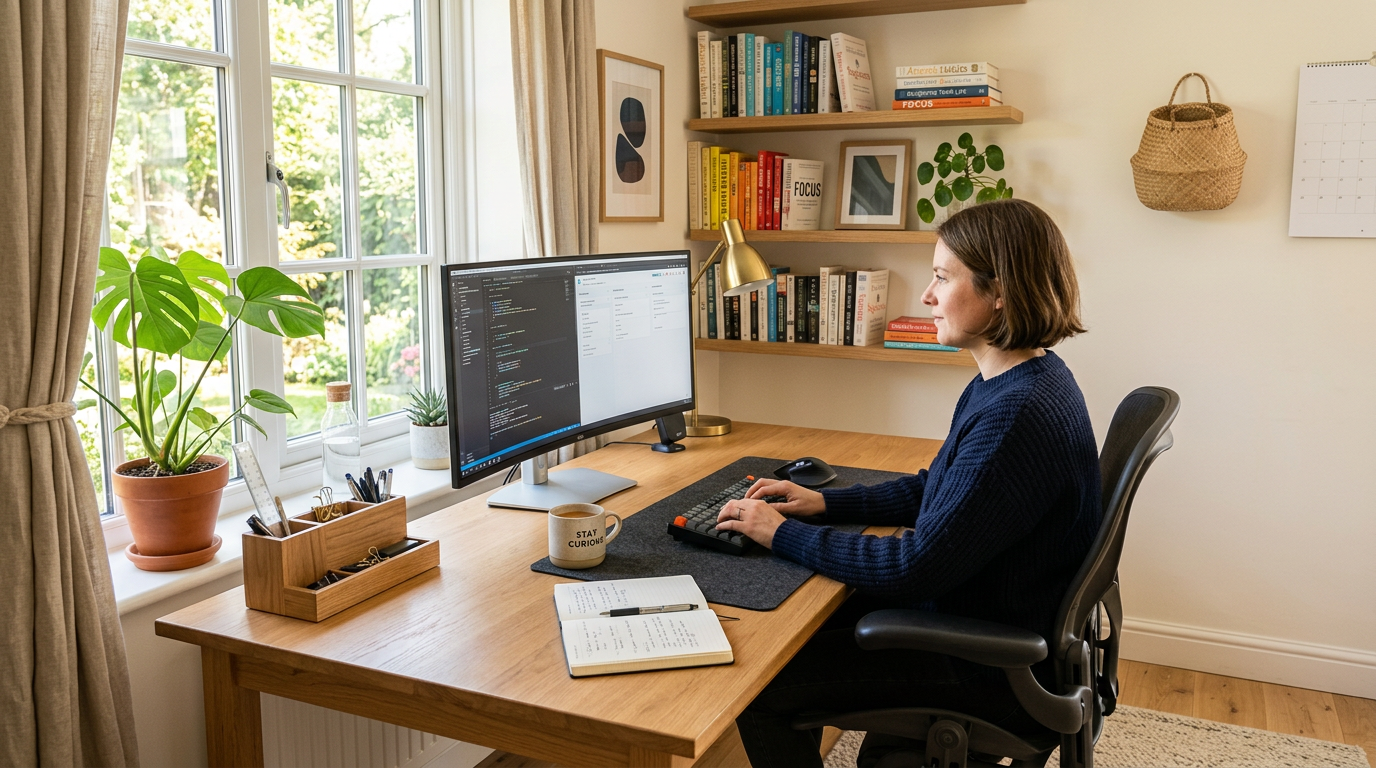
Your Office Design Affects Your Output
Research consistently shows that your physical environment impacts cognitive performance, creativity, and motivation. A thoughtfully designed home office isn’t a luxury — it’s a productivity tool. The difference between a dedicated, well-designed workspace and working from the kitchen table is measurable in both output and wellbeing.
Choosing Your Space
Dedicated Room
If you have a spare room, this is the ideal setup. A door you can close separates work from home life physically and psychologically. Even a small room works well when designed intentionally.
Converted Space
A section of a bedroom, a large closet, a landing, or a corner of the living room can all become effective offices. The key is clear delineation — your brain needs to recognize the transition from “home” to “work.” See our guide on small home office conversions.
Consider the View
Position your desk where you can see a window or at least have something pleasant to look at during thinking moments. Avoid facing a blank wall — it’s psychologically confining. If you must face a wall, hang inspiring artwork or a mirror that reflects the room.
The Desk Is the Foundation
Size Matters
Your desk needs to accommodate your equipment with room to spare. For most people, a desk at least 48 inches wide and 24 inches deep provides adequate workspace. If you use dual monitors, go wider.
Height and Ergonomics
Standard desk height (28–30 inches) works for most people. Standing desks or sit-stand converters add healthy variety to your day. Your forearms should rest parallel to the floor when typing.
Material and Style
Your desk sets the room’s aesthetic tone. Solid wood feels warm and grounding. A clean white desk feels modern and airy. Industrial metal and wood combinations feel creative and edgy. Choose what motivates you.
Ergonomic Essentials
Chair Investment
Your office chair is the single most important purchase. A chair with adjustable height, lumbar support, seat depth adjustment, and armrests will protect your back through long work days. Test before buying when possible.
Monitor Position
The top of your screen should be at or slightly below eye level, about an arm’s length away. A monitor arm allows precise positioning and frees desk space.
Keyboard and Mouse
Consider an ergonomic keyboard and mouse if you spend long hours at the computer. A separate keyboard allows you to position it at the optimal height while your monitor sits higher on a stand.
Lighting for Focus
Natural Light First
Position your desk perpendicular to a window rather than facing it (glare) or backing it (shadow on screen). Side lighting provides illumination without screen interference.
Task Lighting
A quality desk lamp with adjustable brightness and color temperature supports focused work. Look for lamps rated at 4000–5000K for task work — cooler than bedroom lighting but not harsh.
Ambient Balance
Avoid dark corners by supplementing with ambient room lighting. The contrast between a bright screen and a dark room strains your eyes. For a complete guide, see our article on home office lighting.
Storage and Organization
Accessible Storage
Items you use daily should be within arm’s reach. Drawers, desktop organizers, and a small shelf keep essentials close without cluttering your workspace.
Archive Storage
Items you need occasionally — reference materials, supplies, files — can live in closed cabinets, boxes, or a closet. Out of sight but accessible when needed.
Cable Management
Tangled cables are visual noise that subtly adds stress. Use cable trays, clips, and ties to route cables out of sight. A clean desk surface promotes clear thinking. See our cable management guide.
Personal Touches
Art That Inspires
Hang artwork that motivates or calms you. Abstract pieces, photography, motivational prints, or a vision board — your wall decor should support your work mindset.
Plants
Greenery in a workspace reduces stress, improves air quality, and boosts creativity. Even one plant makes a difference. See our guide to the best office plants.
Personal Items
A few meaningful personal items — family photos, travel souvenirs, awards — connect you to your purpose. Keep it minimal so it motivates rather than distracts.
Acoustic Considerations
If your home is noisy, consider acoustic panels, a white noise machine, or noise-canceling headphones. Soft furnishings — a rug, curtains, upholstered chair — absorb sound and create a quieter workspace.
The Boundary Between Work and Home
The most productive home office design includes a way to “close” work at the end of the day. A door you shut, a curtain you draw, or simply turning off the desk lamp and walking away. This ritual separation protects both your productivity during work hours and your rest during off hours.