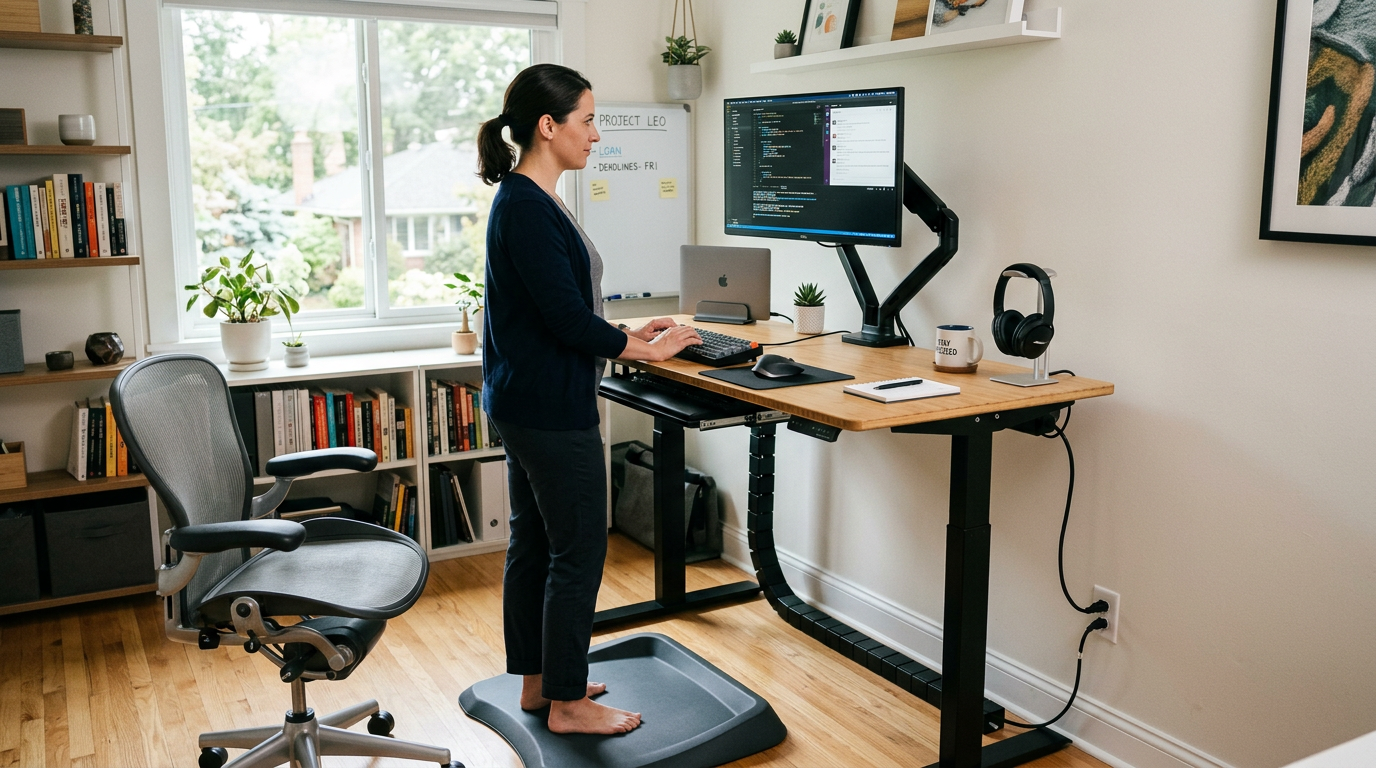
Ergonomics and Aesthetics Aren’t Opposites
The myth that ergonomic furniture is ugly persists, but it hasn’t been true for years. Today’s best ergonomic products are designed with both function and form in mind. You can protect your body and create a beautiful workspace simultaneously.
The Ergonomic Chair
What to Look For
- Adjustable seat height — your feet should rest flat on the floor
- Lumbar support — adjustable depth to match your spine’s curve
- Seat depth adjustment — the seat should support your thighs without pressing behind your knees
- Adjustable armrests — arms should rest comfortably with shoulders relaxed
- Breathable material — mesh backs prevent overheating during long work sessions
Beautiful Options
Ergonomic chairs no longer look like medical equipment. Brands now offer chairs in tasteful colors with refined silhouettes that complement a home environment. Look for chairs that would look at home in a well-designed living room, not just a corporate office.
Desk Ergonomics
Proper Height
Your desk should place your forearms parallel to the floor when typing, with your elbows at roughly 90 degrees. Standard desks (28-30 inches) work for most people of average height. If you’re notably tall or short, an adjustable desk is worth the investment.
Sit-Stand Desks
Standing desks in wood finishes, with clean frames in white or black, are far more attractive than early industrial models. The best approach is alternating between sitting and standing throughout the day rather than committing to either full-time.
Desk Depth
A desk at least 24 inches deep keeps your monitor at a comfortable viewing distance. Deeper desks (30 inches) accommodate larger monitors and give you more working surface.
Monitor Positioning
The Rules
- Distance — arm’s length (20-26 inches) from your eyes
- Height — top of the screen at or slightly below eye level
- Tilt — slight upward tilt (10-20 degrees) so you’re looking down gently
- Angle — perpendicular to windows to minimize glare
Monitor Arms
A clamp-on monitor arm lifts your screen to the correct height, frees desk space underneath, and allows easy repositioning. They’re one of the most impactful ergonomic accessories and make your desk look cleaner simultaneously.
Keyboard and Mouse
Position your keyboard so your wrists stay neutral — not bent up, down, or sideways. A keyboard tray mounted under the desk can achieve the ideal height when the desk surface is too high. Ergonomic mice come in vertical, trackball, and sculpted designs that reduce wrist strain.
Lighting Ergonomics
Poor lighting causes eye strain, headaches, and fatigue. Position your desk perpendicular to windows. Use a task lamp with adjustable color temperature — warmer in the evening, cooler during focused daytime work. Avoid screen glare by keeping your monitor away from direct light sources. Our office lighting guide covers this in depth.
Movement Integration
Anti-Fatigue Mats
For standing desk users, a cushioned anti-fatigue mat reduces leg and back strain. Choose one in a neutral tone that blends with your floor.
Under-Desk Movement
Balance boards, foot rests, and under-desk ellipticals keep your body engaged while working. A foot rest is particularly important if your chair is slightly too high for your desk.
The 20-20-20 Rule
Every 20 minutes, look at something 20 feet away for 20 seconds. Position your desk near a window to make this habit easier and more pleasant.
Acoustic Ergonomics
Noise affects productivity and stress levels. In open or shared spaces, consider acoustic panels that double as wall art, a bookshelf filled with books (natural sound absorber), or a white noise machine. A quieter workspace is a more comfortable workspace.
Putting It Together
The most ergonomic office is one you’ll actually use properly. If a beautiful chair encourages you to sit correctly all day, its aesthetic value is inseparable from its ergonomic value. Design your office to be a place you want to spend time, and good posture becomes a natural byproduct of enjoying your workspace.